<?xml version="1.0" encoding="UTF-8" ?>
<feed xml:lang="ja" xmlns="http://www.w3.org/2005/Atom" xmlns:dc="http://purl.org/dc/elements/1.1/" xmlns:thr="http://purl.org/syndication/thread/1.0">
  <title type="text">painkiller_blog</title>
  <subtitle type="html">仕事でwebのお仕事。プライベートで油絵描いてます。
</subtitle>
  <link rel="self" type="application/atom+xml" href="http://painkillers.blog.shinobi.jp/atom"/>
  <link rel="alternate" type="text/html" href="http://painkillers.blog.shinobi.jp/"/>
  <updated>2008-10-14T13:22:54+09:00</updated>
  <author><name>painkiller</name></author>
  <generator uri="//www.ninja.co.jp/blog/" version="0.9">忍者ブログ</generator>
  <atom10:link xmlns:atom10="http://www.w3.org/2005/Atom" rel="hub" href="http://pubsubhubbub.appspot.com/" />
  <entry>
    <id>painkillers.blog.shinobi.jp://entry/55</id>
    <link rel="alternate" type="text/html" href="http://painkillers.blog.shinobi.jp/flash/localtoglobal%E3%81%AB%E3%81%A4%E3%81%84%E3%81%A6" />
    <published>2010-06-16T18:38:12+09:00</published> 
    <updated>2010-06-16T18:38:12+09:00</updated> 
    <category term="flash" label="flash" />
    <title>localToGlobalについて</title>
    <content mode="escaped" type="text/html" xml:lang="utf-8"> 
      <![CDATA[ActionScriptでlocalToGlobal()を使用することがあったのですが「なーんかずれてる」ってことがあったのでメモ。<br />
<br />
mymapインスタンスの中にarea0というムービークリップを配置。<br />
さて、mymapをステージに配置してその中のarea0の座標をとります。<br />
<br />
var myPoint:Point = new Point(mymap.area0.x, mymap.area0.y);<br />
var gl_point:Point = mymap.area0.localToGlobal(myPoint);<br />
trace(gl_point);<br />
<br />
あれ？ずれる？<br />
下が正解<br />
<br />
var myPoint:Point = new Point(mymap.area0.x, mymap.area0.y);<br />
var gl_point:Point = mymap.area0.<font color="#ff0000">parent</font>.localToGlobal(myPoint);<br />
trace(gl_point);<br />
<br />
でした。<br />
自分の親要素の座標を参照するので<font color="#ff0000">parent</font>がいりました。<br />
ちょっとハマる。<br />
<br />
<br />]]> 
    </content>
    <author>
            <name>painkiller</name>
        </author>
  </entry>
  <entry>
    <id>painkillers.blog.shinobi.jp://entry/54</id>
    <link rel="alternate" type="text/html" href="http://painkillers.blog.shinobi.jp/flash/%E3%82%A4%E3%83%99%E3%83%B3%E3%83%88%E3%83%AA%E3%82%B9%E3%83%8A%E3%83%BC%E3%81%A7%E5%BC%95%E6%95%B0%E3%82%92%E6%B8%A1%E3%81%99" />
    <published>2010-03-09T15:00:38+09:00</published> 
    <updated>2010-03-09T15:00:38+09:00</updated> 
    <category term="flash" label="flash" />
    <title>イベントリスナーで引数を渡す</title>
    <content mode="escaped" type="text/html" xml:lang="utf-8"> 
      <![CDATA[自分でもよく忘れるのでメモ。<br />
ボタンイベントで引数を渡す場合<br />
<br />
[インスタンス].addEventListener(MouseEvent.ROLL_OVER, ROverHandler(i));<br />
<br />
private function ROverHandler(Num:int):Function {<br />
&nbsp;&nbsp;&nbsp; &nbsp;&nbsp;&nbsp; &nbsp;&nbsp;&nbsp; return function(e:MouseEvent):void {<br />
&nbsp;&nbsp;&nbsp; &nbsp;&nbsp;&nbsp; &nbsp;&nbsp;&nbsp; &nbsp;&nbsp;&nbsp; e.target.gotoAndPlay(2);<br />
e.target.removeEventListener(MouseEvent.CLICK, arguments.callee);<br />
&nbsp;&nbsp;&nbsp; &nbsp;&nbsp;&nbsp; &nbsp;&nbsp;&nbsp; &nbsp;&nbsp;&nbsp; }<br />
&nbsp;&nbsp;&nbsp; &nbsp;&nbsp;&nbsp; }<br />
のようにしてremoveEventListenerを付けておく。<br />
この書き方だと外部からremoveEventListener出来ないので使用するときは注意。<br />
<br />
でついでにTweenerのonComplete：の時に引数を渡す場合は<br />
Tweener.addTween(インスタンス, { alpha:0, time:1, transition:&quot;easeOutExpo&quot;, onComplete: FuncRemove, onCompleteParams:[ここに引数] } );<br />
で行けました。<br />
<br />
以上、忘れないように自分へのメモ<br />
<br />]]> 
    </content>
    <author>
            <name>painkiller</name>
        </author>
  </entry>
  <entry>
    <id>painkillers.blog.shinobi.jp://entry/53</id>
    <link rel="alternate" type="text/html" href="http://painkillers.blog.shinobi.jp/flash/xml%E3%81%AE%E3%82%AD%E3%83%A3%E3%83%83%E3%82%B7%E3%83%A5%E5%AF%BE%E7%AD%96" />
    <published>2010-03-05T18:28:06+09:00</published> 
    <updated>2010-03-05T18:28:06+09:00</updated> 
    <category term="flash" label="flash" />
    <title>xmlのキャッシュ対策</title>
    <content mode="escaped" type="text/html" xml:lang="utf-8"> 
      <![CDATA[ひさびさに記事のアップ<br />
って言っても大した事ではありません。<br />
flashでxmlを読み込むときのキャッシュ対策です。<br />
<br />
非常に簡単。<br />
var xml_URL = new URLRequest(&quot;data.xml?&quot; + Math.floor(Math.random() * 100));<br />
<br />
ってことで後ろにランダムの数字を付けます。<br />
ローカルでは<br />
var xml_URL = new URLRequest(&quot;data.xml&quot;);<br />
<br />
作業中は<br />
//var xml_URL = new URLRequest(&quot;data.xml&quot;);<br />
var xml_URL = new URLRequest(&quot;data.xml?&quot; + Math.floor(Math.random() * 100));<br />
<br />
二つ並べてローカル用、サーバーアップ用と&rdquo;//&rdquo;のコメントアウトを場合によって付けたり消したりしています。<br />
<br />]]> 
    </content>
    <author>
            <name>painkiller</name>
        </author>
  </entry>
  <entry>
    <id>painkillers.blog.shinobi.jp://entry/52</id>
    <link rel="alternate" type="text/html" href="http://painkillers.blog.shinobi.jp/flash/%E5%A4%96%E9%83%A8%E3%82%AF%E3%83%A9%E3%82%B9%E3%81%8B%E3%82%89index.as%E3%82%A4%E3%83%B3%E3%82%B9%E3%82%BF%E3%83%B3%E3%82%B9%E3%81%B8%E3%81%AE%E3%82%B9%E3%82%B3%E3%83%BC%E3%83%97%EF%BC%88progression%EF%BC%89" />
    <published>2009-11-19T16:58:02+09:00</published> 
    <updated>2009-11-19T16:58:02+09:00</updated> 
    <category term="flash" label="flash" />
    <title>外部クラスからindex.asインスタンスへのスコープ（progression）</title>
    <content mode="escaped" type="text/html" xml:lang="utf-8"> 
      <![CDATA[progressionであらかじめステージに配置したインスタンスへのスコープ。<br />
<br />
・index.as内でaddChild(movie)したとします。(movieはMovieClip)<br />
・外部ＡＳファイルでMouseEvent.CLICKを作成したとします。<br />
この際、index.asのmovieにスコープするときは<br />
<br />
MovieClip(MovieClip(CastDocument.root)).movieとなります。<br />
<br />
自分のためにメモ。<br />
<br />
<br />]]> 
    </content>
    <author>
            <name>painkiller</name>
        </author>
  </entry>
  <entry>
    <id>painkillers.blog.shinobi.jp://entry/51</id>
    <link rel="alternate" type="text/html" href="http://painkillers.blog.shinobi.jp/flash/%E3%82%AF%E3%83%A9%E3%82%B9%E3%81%8B%E3%82%89root%E3%81%AE%E3%82%A4%E3%83%B3%E3%82%B9%E3%82%BF%E3%83%B3%E3%82%B9%E3%81%AB%E3%82%A2%E3%82%AF%E3%82%BB%E3%82%B9" />
    <published>2009-11-19T11:15:11+09:00</published> 
    <updated>2009-11-19T11:15:11+09:00</updated> 
    <category term="flash" label="flash" />
    <title>クラスからrootのインスタンスにアクセス</title>
    <content mode="escaped" type="text/html" xml:lang="utf-8"> 
      <![CDATA[外部asファイルからrootに配置（addChild）したインスタンスにアクセスするときは<br />
外部asファイルに<br />
private function clkHandler(e:MouseEvent):void <br />
&nbsp;&nbsp;&nbsp; &nbsp;&nbsp;&nbsp; {<br />
&nbsp;&nbsp;&nbsp; &nbsp;&nbsp;&nbsp; &nbsp;&nbsp;&nbsp; Object(root).numbers.gotoAndStop(2);<br />
&nbsp;&nbsp;&nbsp; &nbsp;&nbsp;&nbsp; }<br />
って書くとＯＫ。<br />
numbersってのはインスタンス名です。<br />
メモ。<br />
<br />]]> 
    </content>
    <author>
            <name>painkiller</name>
        </author>
  </entry>
  <entry>
    <id>painkillers.blog.shinobi.jp://entry/50</id>
    <link rel="alternate" type="text/html" href="http://painkillers.blog.shinobi.jp/%E3%81%B2%E3%81%A8%E3%82%8A%E3%81%94%E3%81%A8/swf%E3%81%8B%E3%82%89png%E3%82%92%E4%BD%9C%E6%88%90" />
    <published>2009-11-12T20:09:49+09:00</published> 
    <updated>2009-11-12T20:09:49+09:00</updated> 
    <category term="ひとりごと" label="ひとりごと" />
    <title>swfからpngを作成</title>
    <content mode="escaped" type="text/html" xml:lang="utf-8"> 
      <![CDATA[swfからpngを作成したいと思いいろいろググってると<a href="http://hfm-kenchan.com/Lesson/log_qa/D0805231.htm">Flash Q&amp;A</a>で紹介されていました。<br />
さっそくソースをまる写しにやってみたのですがうまくいった。<br />
<br />
でもって疑問。<br />
これを作成するのに<a href="http://code.google.com/p/as3corelib/">as3corelib</a>のPNGEncorderを使用したんだけどこれって商用OKなの？<br />
BSDライセンスってなってるけど&hellip;？<br />
<br />
以下ソース<br />
<br />
<br /><br /><a href="http://painkillers.blog.shinobi.jp/%E3%81%B2%E3%81%A8%E3%82%8A%E3%81%94%E3%81%A8/swf%E3%81%8B%E3%82%89png%E3%82%92%E4%BD%9C%E6%88%90" target="_blank">つづきはこちら</a>]]> 
    </content>
    <author>
            <name>painkiller</name>
        </author>
  </entry>
  <entry>
    <id>painkillers.blog.shinobi.jp://entry/49</id>
    <link rel="alternate" type="text/html" href="http://painkillers.blog.shinobi.jp/flash/swfwheel%E3%82%92%E3%82%A4%E3%83%B3%E3%83%9D%E3%83%BC%E3%83%88%E3%81%99%E3%82%8B%E5%A0%B4%E6%89%80" />
    <published>2009-10-07T12:42:24+09:00</published> 
    <updated>2009-10-07T12:42:24+09:00</updated> 
    <category term="flash" label="flash" />
    <title>SWFWheelをインポートする場所</title>
    <content mode="escaped" type="text/html" xml:lang="utf-8"> 
      <![CDATA[マウスホイール対応ということで<br />
<pre id="line1"><a href="http://www.libspark.org/">Spark project</a>にあるライブラリ「<a href="http://www.libspark.org/wiki/SWFWheel">SWFWheel</a>」を使用させていただきました。

その中でちょっと勘違いしていたところがあったのでメモ。
マウスホイールを使用しているクラスファイルにインポートしてそのクラスを
MainにaddChild()して使用していたのですがIE6,firefoxでは
機能していたのにsafariでは機能しなかった。
「あれ～？なんで？？？」状態になって見直した。

どうやらSWFWheelは子オブジェクトに使用している時でもMain.asでインポート、
SWFWheel.initialize(stage);
しないとsafariでは機能しないみたい。

なまじwindowsで動いただけに動揺してしまった。

それにしても便利なライブラリだな。制作者に感謝、感謝です。
</pre>
<br />
<br type="_moz" />]]> 
    </content>
    <author>
            <name>painkiller</name>
        </author>
  </entry>
  <entry>
    <id>painkillers.blog.shinobi.jp://entry/48</id>
    <link rel="alternate" type="text/html" href="http://painkillers.blog.shinobi.jp/flash/%E8%AA%AD%E3%81%BF%E8%BE%BC%E3%82%93%E3%81%A0swf%E3%81%AE%E3%82%A4%E3%83%99%E3%83%B3%E3%83%88%E3%81%AB%E3%81%A4%E3%81%84%E3%81%A6" />
    <published>2009-10-07T10:18:21+09:00</published> 
    <updated>2009-10-07T10:18:21+09:00</updated> 
    <category term="flash" label="flash" />
    <title>読み込んだswfのイベントについて</title>
    <content mode="escaped" type="text/html" xml:lang="utf-8"> 
      <![CDATA[ちょっとハマったのでメモ。<br />
<br />
読み込んだ外部swfを新しく作ったsprite（）であるカレンダーにaddChildして表示した。<br />
calender = new Sprite();<br />
<br />
private function calendar_show():void {<br />
&nbsp;&nbsp;&nbsp; &nbsp;&nbsp;&nbsp; &nbsp;&nbsp;&nbsp; cal_URL = new URLRequest(&quot;＊＊＊＊.swf&quot;);<br />
&nbsp;&nbsp;&nbsp; &nbsp;&nbsp;&nbsp; &nbsp;&nbsp;&nbsp; cal_loader= new Loader();<br />
&nbsp;&nbsp;&nbsp; &nbsp;&nbsp;&nbsp; &nbsp;&nbsp;&nbsp; cal_loader.contentLoaderInfo.addEventListener(Event.COMPLETE, compHandler);<br />
&nbsp;&nbsp;&nbsp; &nbsp;&nbsp;&nbsp; &nbsp;&nbsp;&nbsp; cal_loader.load(cal_URL);<br />
&nbsp;&nbsp;&nbsp; &nbsp;&nbsp;&nbsp; }<br />
private function compHandler(e:Event):void {<br />
&nbsp;&nbsp;&nbsp; &nbsp;&nbsp;&nbsp; &nbsp;&nbsp;&nbsp; calendar.addChild(cal_loader);<br />
}<br />
<br />
<br />
でこれがいらなくなったときにremoveする際<br />
private function next_clkHandler(e:MouseEvent):void {<br />
calendar.removeChild(cal_loader);<br />
&nbsp;&nbsp;&nbsp; &nbsp;&nbsp;&nbsp; &nbsp;&nbsp; cal_loader.unload();<br />
}<br />
としたんですけど、子のイベントが消えていないためエラーが出ました。<br />
原因はremoveEventListener();で子のイベントを消去していないから。<br />
<br />
対処としては読み込んだswfに<br />
addEventListener(Event.REMOVED_FROM_STAGE, removeHandler);<br />
private function removeHandler(e:Event):void ｛<br />
（このファイル内でaddEventListenerしたイベントをremoveEventListenerします）<br />
｝<br />
<br />
これでOK。<br />
<br />
<br />
<br />
<br />
<br />
<br type="_moz" />]]> 
    </content>
    <author>
            <name>painkiller</name>
        </author>
  </entry>
  <entry>
    <id>painkillers.blog.shinobi.jp://entry/47</id>
    <link rel="alternate" type="text/html" href="http://painkillers.blog.shinobi.jp/flash/as3%E3%81%A7xml%E3%81%AE%E8%AA%AD%E3%81%BF%E8%BE%BC%E3%81%BF" />
    <published>2009-10-07T00:57:56+09:00</published> 
    <updated>2009-10-07T00:57:56+09:00</updated> 
    <category term="flash" label="flash" />
    <title>AS3でXMLの読み込み</title>
    <content mode="escaped" type="text/html" xml:lang="utf-8"> 
      <![CDATA[いろんな方のサンプルを見てどうにか作ってみました。<br />
EventDispatcherを使ってみたかったんですよね。<br />
<br />
ま、何とかできました。<br />
わからんわからんと拙い僕が書いたのできっと初心者の方でも分かってくれるはず。<br />
<br />
<a href="//painkillers.blog.shinobi.jp/File/xml_sample.zip">ASファイル</a><br type="_moz" />]]> 
    </content>
    <author>
            <name>painkiller</name>
        </author>
  </entry>
  <entry>
    <id>painkillers.blog.shinobi.jp://entry/46</id>
    <link rel="alternate" type="text/html" href="http://painkillers.blog.shinobi.jp/flash/mouseenabled%E3%81%97%E3%81%9F%E3%81%A8%E3%81%8D%E3%81%AE%E6%B3%A8%E6%84%8F%E7%82%B9" />
    <published>2009-10-05T19:43:29+09:00</published> 
    <updated>2009-10-05T19:43:29+09:00</updated> 
    <category term="flash" label="flash" />
    <title>mouseEnabledしたときの注意点</title>
    <content mode="escaped" type="text/html" xml:lang="utf-8"> 
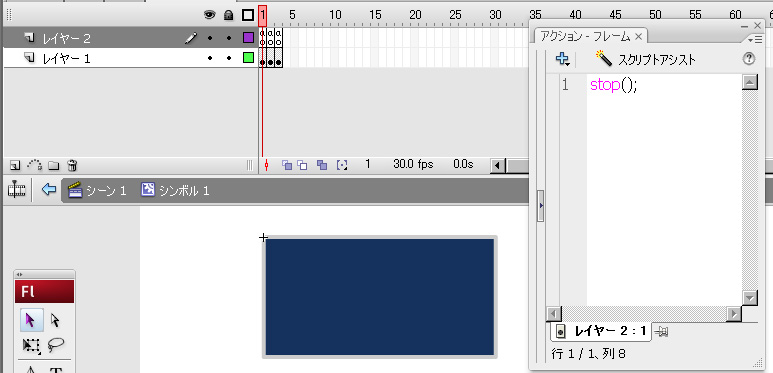
      <![CDATA[例えばボタンインスタンスに1フレーム目にボタンのノーマル状態、<br />
<a target="_blank" href="//painkillers.blog.shinobi.jp/File/sample1.jpg"><img border="0" align="left" alt="sample1.jpg" src="//painkillers.blog.shinobi.jp/Img/1254738742/" /></a><br />
<br />
<br />
<br />
<br />
<br />
<br />
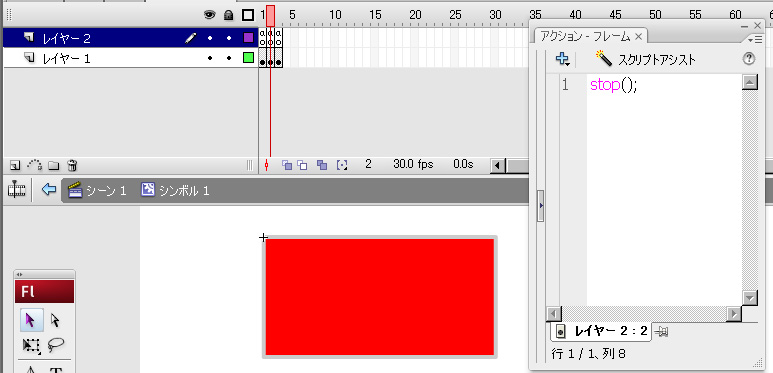
2フレーム目にアクティブ状態、<br />
<a target="_blank" href="//painkillers.blog.shinobi.jp/File/sample2.jpg"><img border="0" align="left" alt="sample2.jpg" src="//painkillers.blog.shinobi.jp/Img/1254738908/" /></a><br />
<br />
<br />
<br />
<br />
<br />
<br />
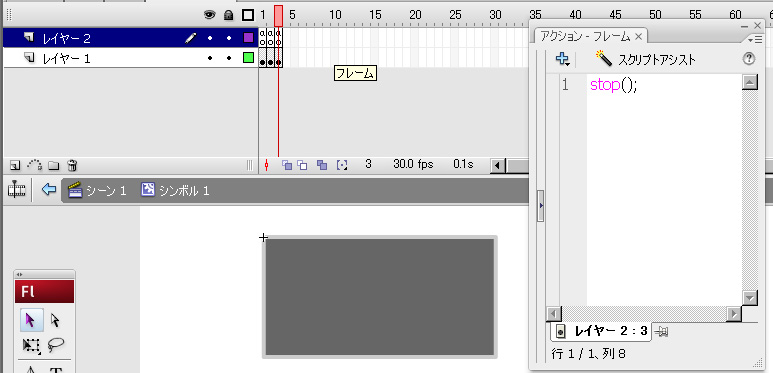
3フレーム目にボタンイベントが効かなくなった状態、<br />
<a target="_blank" href="//painkillers.blog.shinobi.jp/File/sample3.jpg"><img border="0" align="left" alt="sample3.jpg" src="//painkillers.blog.shinobi.jp/Img/1254738973/" /></a><br />
<br />
<br />
<br />
<br />
<br />
<br />
<br />
をそれぞれ配置します。<br />
<br />
で、それぞれにイベントを追加します。<br />
btn.addEventListener(MouseEvent.ROLL_OVER, RoverHandler);<br />
btn.addEventListener(MouseEvent.ROLL_OUT, RoutHanlder);<br />
private function RoutHanlder(e:MouseEvent):void {<br />
&nbsp;&nbsp;&nbsp; &nbsp;&nbsp;&nbsp; &nbsp;&nbsp;&nbsp; e.target.gotoAndStop(1);<br />
}<br />
private function RoverHandler(e:MouseEvent):void {<br />
&nbsp;&nbsp;&nbsp; &nbsp;&nbsp;&nbsp; &nbsp;&nbsp;&nbsp; e.target.gotoAndStop(2);<br />
}<br />
ってかんじで。<br />
<br />
さて、先ほど条件分岐して<u>ボタンイベント</u>が効かなくなったときには<br />
btn.mouseEnabled = false;<br />
とするのですが、ボタンが効かなくなった瞬間、ROLL_OUTのイベントも一緒に実行するみたいです。<br />
どうやらマウスがロールアウトしたと判断するみたいですね。<br />
<br />
回避するにはmouseEnabledと一緒にremoveEventListenerでイベントを削除したら思い通りにいきました。<br />
<br />
<br />
<br />
<br />
<br type="_moz" />]]> 
    </content>
    <author>
            <name>painkiller</name>
        </author>
  </entry>
</feed>